AT A GLANCE
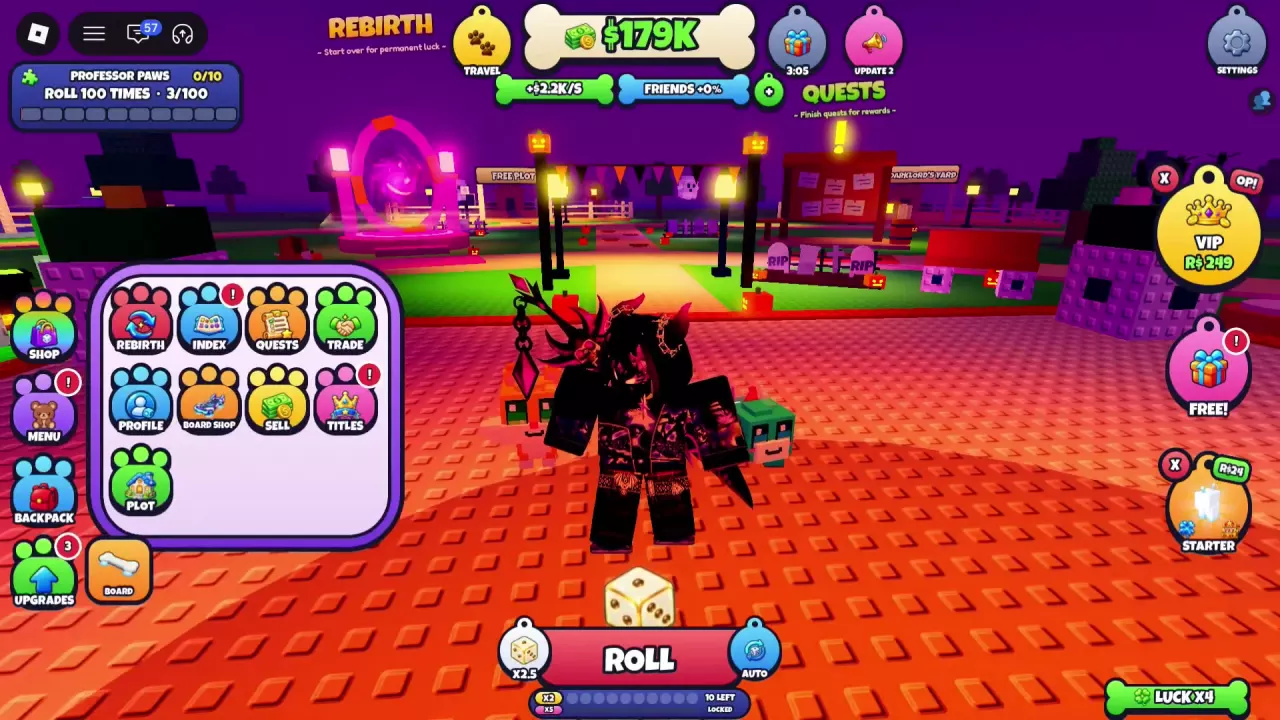
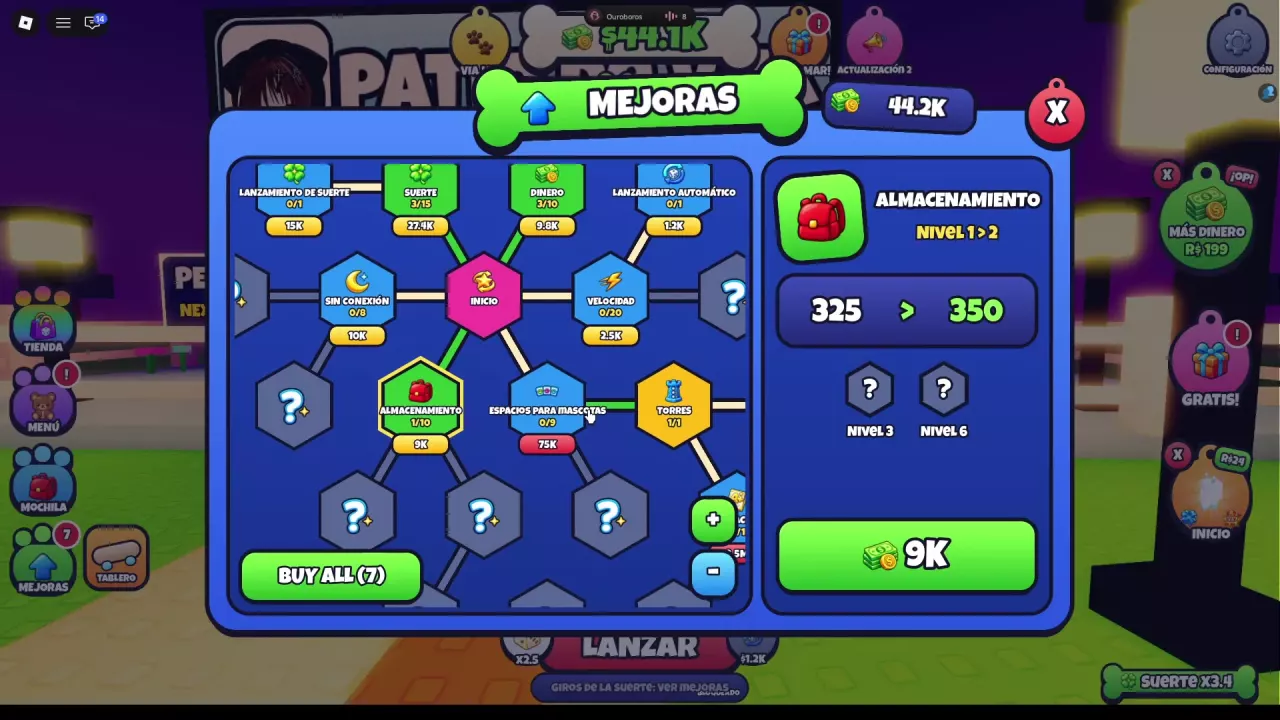
Open UPGRADES and select STORAGE to increase pet inventory capacity. The level 1 → 2 preview raises capacity from 325 to 350 pets for $9,000 cash—25 extra spaces. To find the selling entry, open MENU > SELL; TRADE is a separate option.
Increase Pet Inventory Capacity
- Open UPGRADES using the green upward-arrow button on the left side of the screen.
- Select STORAGE, marked with a red backpack. In Spanish, the labels are MEJORAS and ALMACENAMIENTO.
- Read the selected node’s preview on the right: check the level change, current capacity, next capacity and cash price.
- Once the node is available and you have enough cash, click its price button to buy the upgrade.
At level 1/10, the next upgrade previews level 1 → 2, increasing storage from 325 to 350 pets for $9,000 cash. That purchase adds 25 pet spaces. Read the preview again for later purchases: at level 7/10, the displayed next-upgrade price is $306,000.
If the purchase button is gray or a message gives a cash shortfall, check your balance against the selected upgrade’s price. For other branches and buying options, see the upgrade tree guide.
Storage II, Pet Slots and Tower Slots
Choose the upgrade that matches the space you need:
- Storage: increases the number of pets you can keep in your inventory.
- Storage II: another storage node in UPGRADES, displaying $200,000 cash at 0/5. Select it to inspect its current requirements and preview.
- Pet Slots: relates to pets placed on your plot’s pedestals. For managing that income setup, see pedestals and Pet Slots.
- Tower Slots: relates to your battle team. See the tower team and controls guide for that system.
The fractions on these nodes track upgrade levels, not pet capacity. Storage’s 10-level limit and Storage II’s 5-level limit do not tell you the final number of pets you can hold; use the capacity preview when deciding what to buy.
Find SELL and Sell+
Open MENU on the left side, then choose SELL, the yellow button with a cash icon. It appears in the second row, between BOARD SHOP and TITLES. TRADE is the separate player-trading entry in the top row; see the menu and trade-request settings for those controls.
For the related upgrade node, open UPGRADES and follow the visible connection from Storage to Sell+. Sell+ displays 0/5 with a $375,000 cash price. Select that node to inspect its details when considering selling-related upgrades.