
AT A GLANCE
Captain Barnacle is on the wooden dock beside the water; approach him for E / EXPEDITIONS. Count Pawcula is beside the plaza; use E / TALK, then OPEN SHOP. Look for the ASCENSION sign in the plaza and the red Towers stand for OPEN. For other shops, use the current-die icon for Dice Shop, MENU > BOARD SHOP or B for Board Barn, the green upward arrow for UPGRADES, and SHOP > LIMITED for Neon Arcade.
Captain Barnacle and the Expeditions Entrance
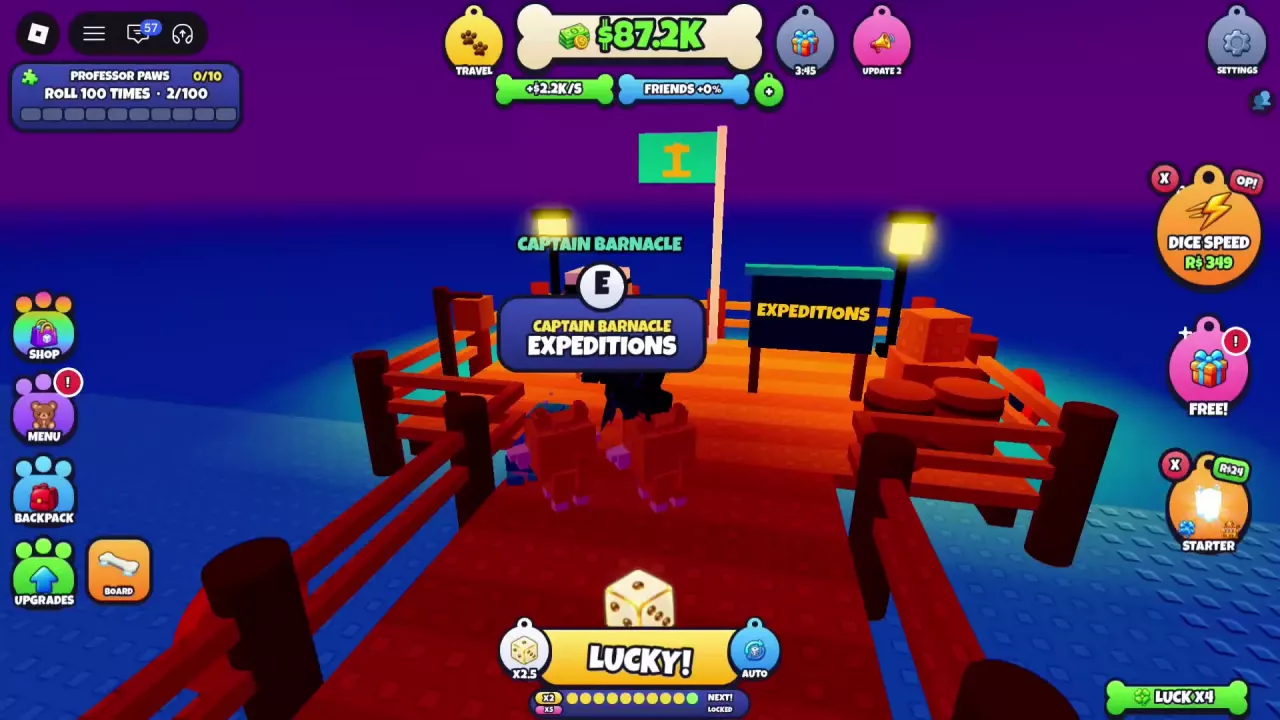
Head to the wooden dock beside the water and look for Captain Barnacle. The dock has railings, lamps, and an EXPEDITIONS sign that helps identify the entrance.
Walk up to Captain Barnacle until the E interaction prompt labeled EXPEDITIONS appears.
Plaza Facilities: Pawcula, Ascension and Towers
Count Pawcula and the Halloween shop
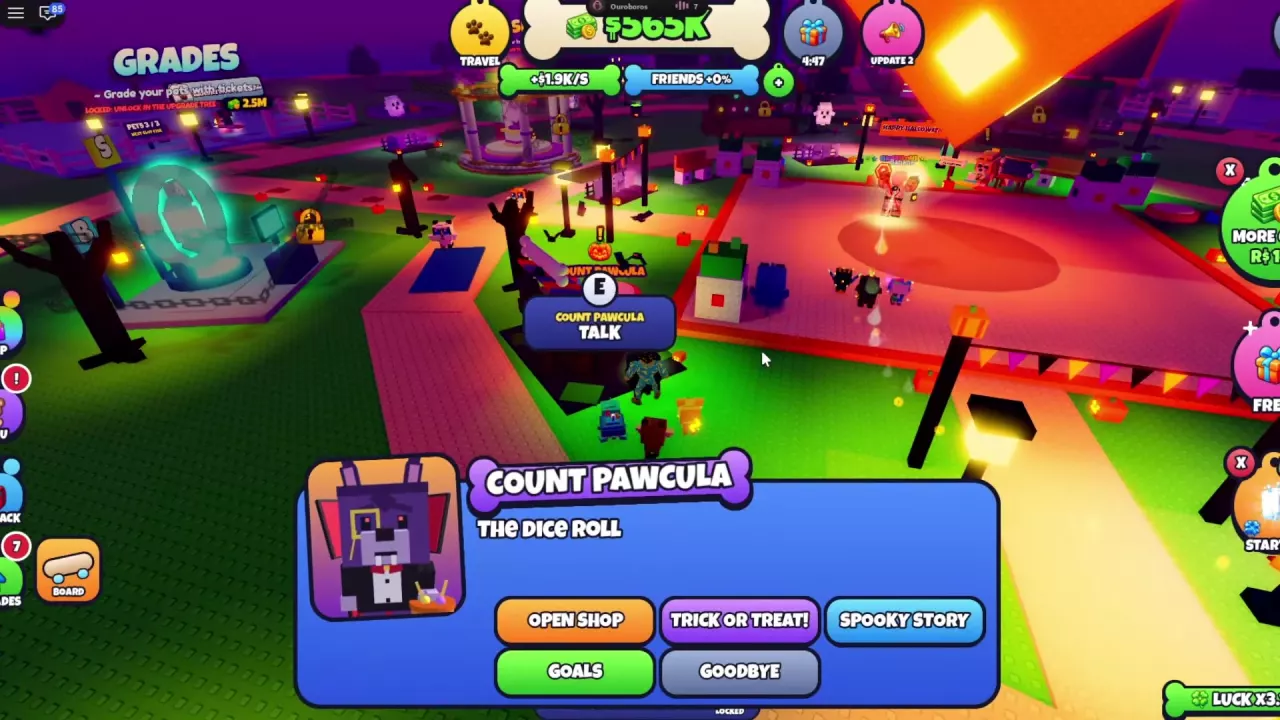
Find Count Pawcula beside the plaza. His dialogue portrait shows a purple vampire dog in formal clothing holding a candy bucket.
- Approach Count Pawcula and use E / TALK.
- Choose OPEN SHOP to enter Pawcula's Spooky Shop.
For item exchanges and Candy costs, see the Halloween shop guide.
Ascension
Look for the large ASCENSION sign in the plaza. It identifies the facility for ascending pets, with a sign advertising boosts to your pets.
Towers
During the OPEN THE TOWERS tutorial, follow the guide to the red Towers stand and use OPEN.
Towers must be unlocked before a tower run. Check the Towers node in UPGRADES; the game announces TOWERS UNLOCKED! when the feature becomes available. Continue to the Towers guide for arena controls and battle information.
Shop and Upgrade Shortcuts
Use these interface entrances to open the shop or upgrade screen you need.
| Destination | How to open it | What to check next |
|---|---|---|
| Dice Shop | Click the current-die icon near ROLL at the bottom of the screen. When the new-die tutorial appears, its GO! button also opens the shop. | Dice prices, luck multipliers, and buying steps |
| Board Barn | Open the left-side MENU > BOARD SHOP, or press B on a keyboard. | Hoverboard purchases, previews, and riding controls |
| UPGRADES | Click the green upward-arrow button at the lower left. | Upgrade branches, costs, and buying choices |
| Neon Arcade | Open SHOP > LIMITED > NEON ARCADE. | Limited pets, pull controls, and budgets |
For Trade, Rebirth, Titles, Plot, and display options, use the menus and settings reference.